What can we help you with?
It will be activated once you have subscribed on tusass.gl and have gone through the Orbi setup guide on the Netgear Orbi app.
The best location is by the window. You can try your hand by placing the modem in different places in your home, and place it based on where you have the highest internet speed. You can see your internet speed by doing a speed test, which can be done on tusass.speedtestcustom.com or you can go to: https://www.tusass.gl/en/speedtest/
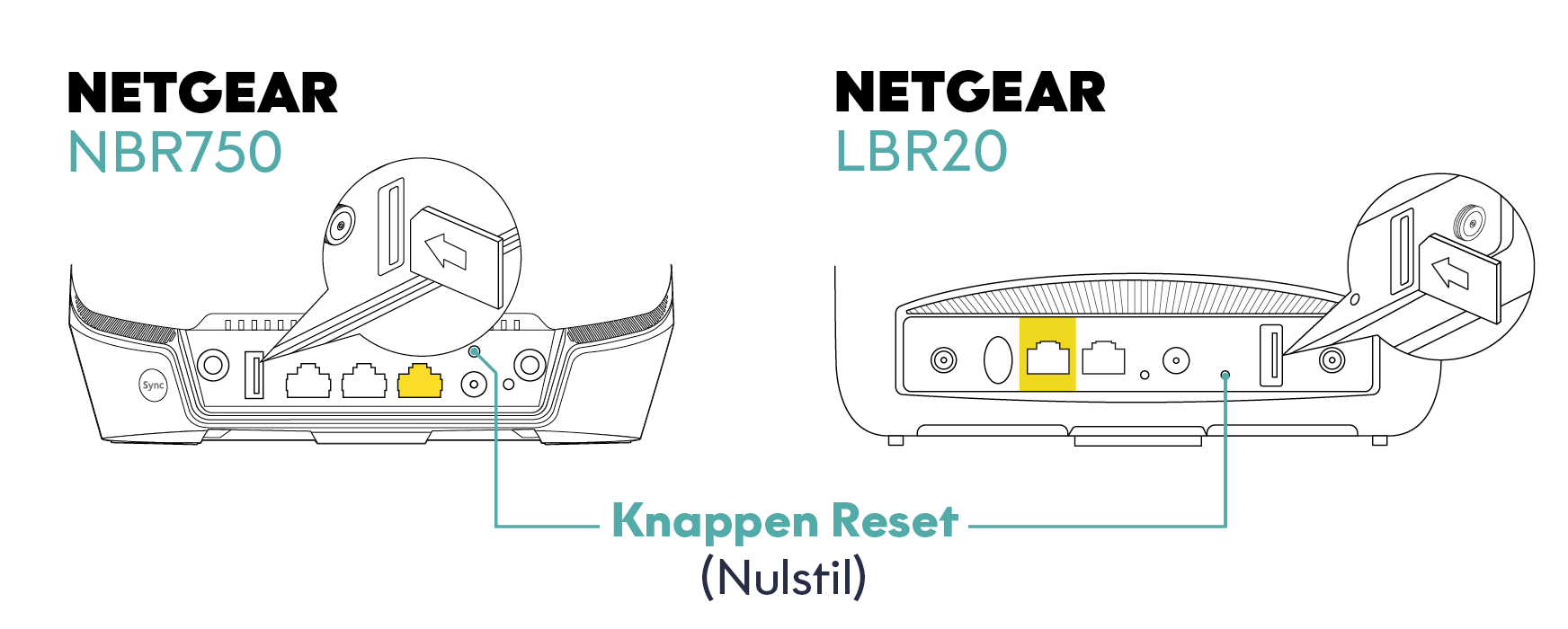
Yes, you can do that on the Orbi app, or you can do that by holding down the reset button:
The Orbi app is an extension of the modem, it is free to download and free to use.
Netgear Armor is part of the Orbi app, where you can purchase security for your modem, which protects your devices against viruses, spyware, hackers, spam and phishing, it is optional whether you want to purchase that security.
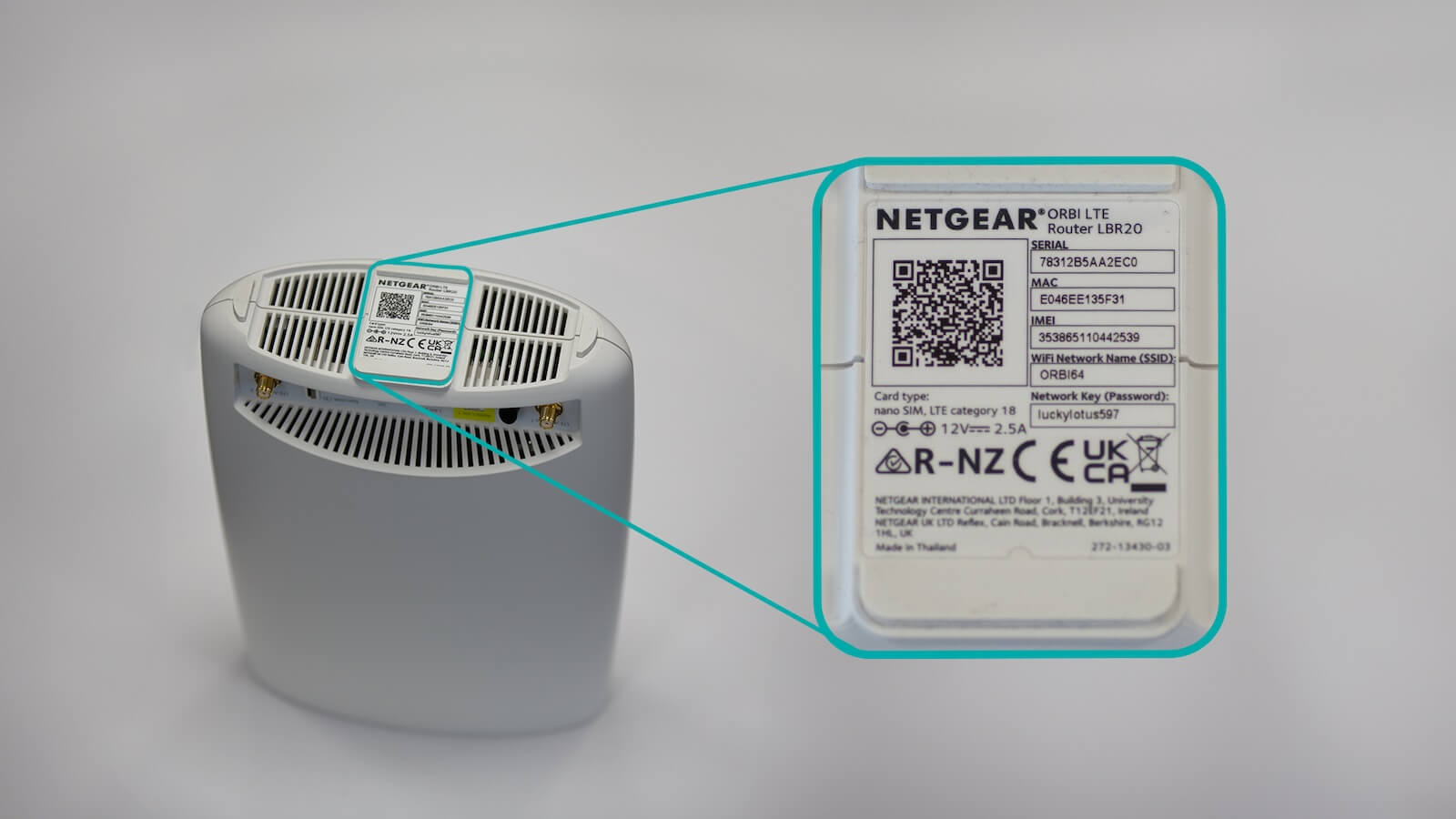
You can see the brand and model on the label attached to the modem. It may, for example, say Orbi or TP-Link.
The lights on the modem indicate, among other things, whether the modem has a connection. The colors and meanings may vary from modem to modem.
You can find the WiFi name and password on the label attached to the modem.
You can change your WiFi name and password through the modem's administration page at https://192.168.1.1. If you have Orbi, you can also use the Orbi app. If you have TP-Link, you can use Aginet.
It depends on your current modem and your connection. If you need a new modem, you will be notified by Tusass.
It depends on where you live. You will be notified if your modem needs to be picked up or sent to you.
If your modem needs to be returned, you will be informed where and how.